


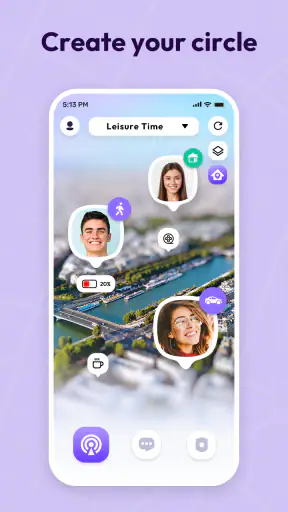
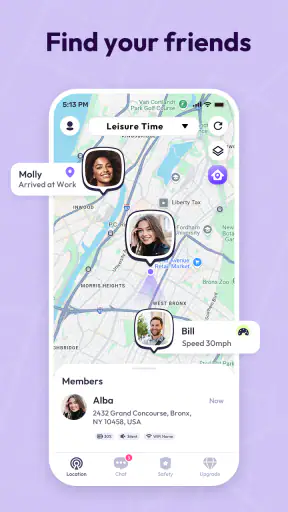
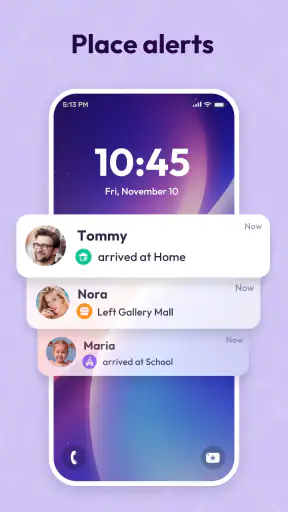
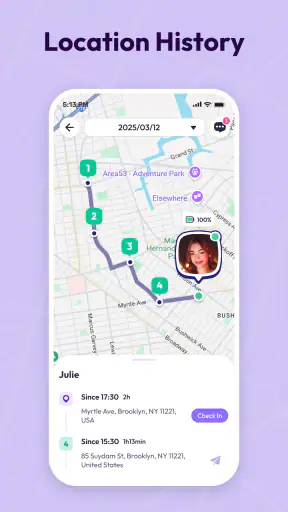
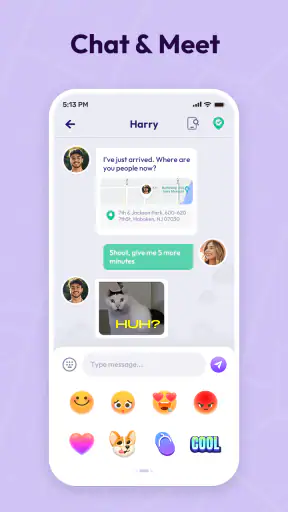

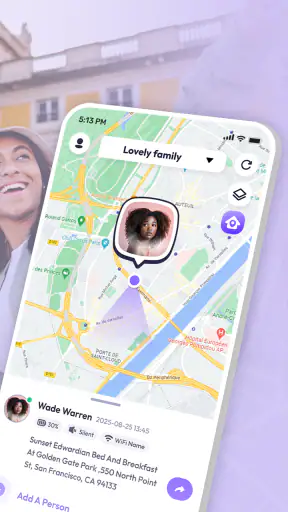
If you are looking for a simple way to stay connected with family members, Link360: Phone Tracker is worth examining, but it is best approached as a location-sharing tool rather than a complete safety system. I tested it with that expectation in mind, focusing on the moments that matter in everyday use: getting started, linking people, checking a location, and recovering when the map does not behave as expected. My overall impression is practical rather than enthusiastic. The app can be useful when everyone involved understands how it works, yet the experience depends heavily on the phones, accounts, and connections on both sides.
Created by SoulApps Studio, this free lifestyle app is aimed at family safety, phone locating, and shared location. It has reached over a million installs and holds a 4.1 average from around seventeen thousand ratings, which suggests that many people find the basic idea useful while still encountering the occasional frustration. The age rating is Everyone, and the current version is 2.7.10. That combination makes it approachable for households, but an easy interface does not remove the need for careful setup.
Where the experience usually gets stuck
The first point of friction is not normally the map itself. It is the connection between people. A location-sharing app only becomes useful when the right family members are linked and each person has completed the steps needed for their own phone. If one person assumes that installing the app is enough, the map may appear incomplete or show no useful movement. I would treat the linking process as a shared task, not something one family member can silently finish for everyone else.
This matters especially when the app is installed on a parent’s phone but the person being located uses another device. The phone you are holding and the phone you want to see are separate parts of the workflow. Before judging the app, I would confirm that the intended person is actually connected, that the correct profile is selected, and that the other phone is switched on and reachable. A surprisingly large number of “tracker problems” are really setup mismatches.
Another common stumbling block is expecting a location to update instantly under every condition. A phone may be indoors, moving through an area with weak service, conserving battery, or temporarily unable to communicate. In those moments, a map can look old even though the app has not necessarily failed. I find it more useful to read the displayed position as the latest available information, not as a guarantee of a continuously perfect live view.
There is also a human issue that technical reviews often overlook: everyone in the group needs to understand what is being shared and why. A family member who feels monitored may disable the connection or stop cooperating, which defeats the purpose. I would explain the arrangement clearly before relying on it, particularly with teenagers or older relatives. The strongest use of Link360 is cooperative location sharing, not secret surveillance.
What to check before blaming the map
When a person does not appear correctly, I start with the simplest questions. Is the other phone powered on? Is it connected to a network? Is the app still installed and open enough to complete its work? Is the selected person the one I intended to view? These checks sound obvious, but they prevent a lot of unnecessary reinstalling and repeated sign-ins.
I also check whether the phone has recently been restarted or updated. A restart can interrupt an app’s background activity, while an operating-system change can alter how location-related tasks behave. Rather than changing several settings at once, I prefer to make one adjustment, wait briefly, and then check the map again. That approach makes it easier to identify what actually helped.
The minimum operating-system requirement is Android 6.0, so older compatible phones may still be able to run the app. Compatibility alone, however, does not promise a smooth experience on aging hardware. A phone with limited battery life or unreliable connectivity may be a poor device for dependable location sharing even when the app installs normally. For a child’s spare phone or an older relative’s handset, the condition of the device can matter as much as the app version.
It is also sensible to check both phones rather than only the one displaying the map. If the viewer’s connection is unstable, the map may not refresh properly. If the tracked phone is the one with the problem, changing settings on the viewer’s phone will not solve it. This two-sided check is one of the most useful habits I developed while assessing the app.
A setup routine that avoids avoidable confusion
I recommend beginning with both phones nearby. Install the app on the devices that need to participate, open it on each one, and keep the intended roles clear: who is sharing a location and who is checking it. Complete the linking process while both people can see what is happening. That makes it easier to catch a wrong account, an accidental selection, or an unfinished confirmation before anyone leaves home.
Once the connection is in place, test it in a low-pressure situation. One person can move to another room or take a short walk while the other checks whether the expected person appears. This is more useful than assuming everything works because the app opened successfully. A small test reveals whether the family understands the screen and gives everyone a chance to recognize an old position versus a current one.
I would also make a habit of checking the app after installing a new phone update or changing battery settings. The goal is not to constantly monitor the device, but to avoid discovering a problem during an urgent moment. A short monthly check is enough for many households: open the app, confirm the right people are still linked, and make sure the phones in question can communicate.
Privacy deserves a place in setup as well. Only connect people who have agreed to the arrangement, and avoid treating a location marker as proof of what someone is doing. A map can show where a phone is believed to be; it cannot explain the situation around that phone. I consider that distinction essential for using a family-safety app responsibly.
Recovering a stalled or missing location
When a location appears stuck, my recovery process is deliberately plain. I first close and reopen the app on the viewing phone, then check the connection on both devices. If the person being viewed can safely do so, I ask them to open the app and confirm that their phone is active. I then wait for a fresh update rather than repeatedly tapping the same control. Repeated requests rarely help if the underlying phone has no usable connection.
If that does not work, I restart the affected phone and check the link again. I would avoid immediately deleting the app because that can create a second problem: the family may need to repeat the connection process, and people may not remember which account or profile they used. Reinstallation is a later step, not my first response.
Keeping a simple record of the arrangement can help. I do not mean storing sensitive location details; I mean noting which person uses which phone and which role each phone has in the group. That small piece of organization is valuable in households with shared devices, replacement phones, or multiple family members with similar names.
Another practical tip is to test the app before a journey, not after someone has already gone missing from the map. If the family is going on a trip, check the connection while everyone still has time to fix it. This turns Link360 from a hopeful installation into a known part of the household routine. It also makes it easier to decide whether the app is reliable enough for that particular outing.
When the app is not the real cause
Location services are built from several moving parts, so a problem may come from the phone or network rather than Link360. Weak mobile coverage, a temporarily unavailable network, an indoor environment, or a phone that is nearly out of power can all make a location look delayed. If the same device is also struggling with ordinary online tasks, I would investigate connectivity before changing the tracker.
Battery-saving behavior can create another misleading symptom. Phones are designed to limit background activity when power is low or when certain battery controls are enabled. If the app updates only after the user opens it, the phone’s general power management may be affecting the experience. I would review the device’s battery and background-activity settings carefully, changing only options I understand rather than disabling every protection.
Permission choices can matter too, but I would handle them with restraint. The app needs the access required for the location-sharing function to work, and each participant should understand what they are allowing. If someone has denied a necessary request, the map may not behave as expected. The right response is to review the phone’s app settings and make an informed choice, not to grant every permission automatically.
There is a difference between a technical failure and an intentional privacy choice. If a family member pauses sharing or turns off their phone, the correct answer is a conversation, not a workaround. I would never use a location tool to bypass someone’s consent. For genuine emergencies, contact the appropriate local emergency service rather than relying on a consumer tracking app as the only source of help.
How it fits into everyday family routines
A realistic example is a parent waiting for a teenager who is walking home after an activity. Instead of sending several messages asking where they are, the parent can check the shared location and decide whether the person is still on the expected route or whether a direct call makes more sense. The benefit is not that the map replaces communication; it is that it can reduce unnecessary messages when everyone has already agreed on the arrangement.
It can also help with older relatives who sometimes forget to call after arriving somewhere. In that case, the useful workflow is a quick check followed by a phone call if the location seems unusual or outdated. I would not use the app to make medical decisions or assume that a familiar marker means everything is fine. Its value is as a prompt for human follow-up.
For families sharing a vehicle or coordinating a pickup, the app may be more convenient than repeatedly exchanging meeting details. Still, I would set expectations about accuracy and refresh timing before relying on it. If the pickup is time-critical, a call or message remains the safer confirmation because a map does not communicate delays, detours, or a dead battery.
Compared with ordinary messaging apps, Link360 puts the location task at the center instead of making it one feature among many conversations. That focus can be helpful for a household that wants a dedicated place to check connected family members. On the other hand, people who already use a trusted messaging service for occasional location sharing may find a separate app unnecessary. The choice depends on whether the family wants a standing tracking routine or only shares a location now and then.
It also differs from relying on a phone’s built-in device-finding service. Those tools are often designed primarily for recovering your own lost hardware, while Link360 is presented around family connection and shared location. If your only goal is finding your personal phone, a dedicated device-finding option may be the more direct choice. If your goal is a cooperative family view, this app is more closely aligned with that use.
Costs, expectations, and who should use it
Link360 is free to download, which makes trying the basic experience straightforward. It includes in-app purchases ranging from forty-nine cents to ninety-nine dollars and ninety-nine cents per item, so I would review any purchase screen carefully before confirming anything. The free entry point is useful for evaluating whether your household can connect successfully, but I would not pay for extras until the everyday workflow is already clear and dependable.
I think the app is a good fit for families who want a dedicated location-sharing tool, are comfortable setting it up together, and understand that phone and network conditions affect results. It may also suit people who prefer a focused lifestyle app instead of combining location checks with a larger messaging platform. The Everyone rating makes it broadly approachable, although responsible use still depends on consent and age-appropriate conversations.
I would skip it if you need guaranteed real-time precision, covert monitoring, or a replacement for emergency services. It is also not my first choice for someone who only wants to locate a lost personal phone. Families that dislike installing a separate app or cannot keep both phones connected may be happier with an existing communication tool they already understand.
The developer’s version history is represented here by current version 2.7.10, so keeping the app updated is a sensible maintenance step. An update can improve compatibility, but it can also be a good moment to repeat the small connection test I described earlier. I prefer that habit to assuming that an update alone will solve every issue.
My practical verdict after using it
My final view is that Link360 is useful when treated as one part of a family communication plan. Its strongest quality is focus: it gives people a dedicated way to stay linked, check a phone’s reported location, and coordinate ordinary routines. The experience is less convincing when users expect the map to be perfect regardless of battery, signal, permissions, or cooperation.
The best way to get value from it is to set it up with everyone present, test the connection before relying on it, and keep a second method of contact available. If a location looks wrong, check the other phone, the network, the battery situation, and the sharing arrangement before reinstalling anything. Those steps address the real sources of friction more effectively than repeatedly refreshing the screen.
With a 4.1 average and over a million installs, it has clearly found an audience, but popularity is not a substitute for matching the app to your needs. I would recommend trying the free version for a calm household scenario first. If the people involved understand the limits and the connection remains dependable, it can become a convenient family check-in tool. If you need certainty, emergency-grade reliability, or only a lost-phone finder, I would choose a more specialized alternative instead.


